









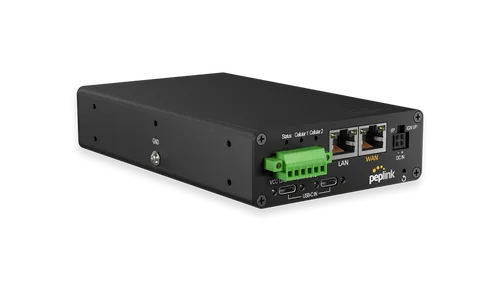
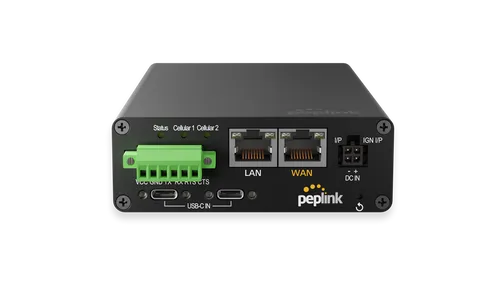
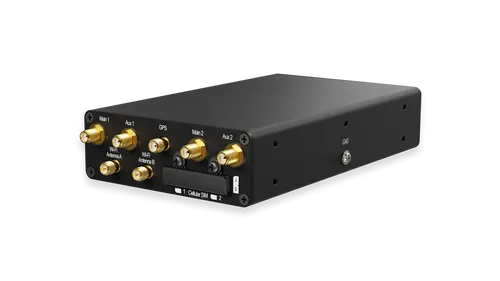
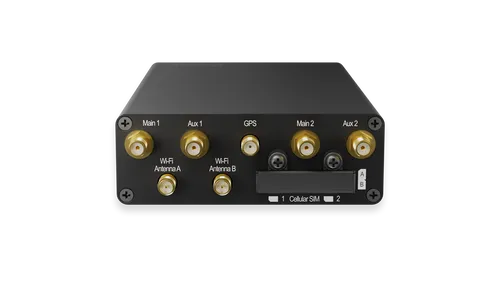




Peplink MAX Transit Duo Pro
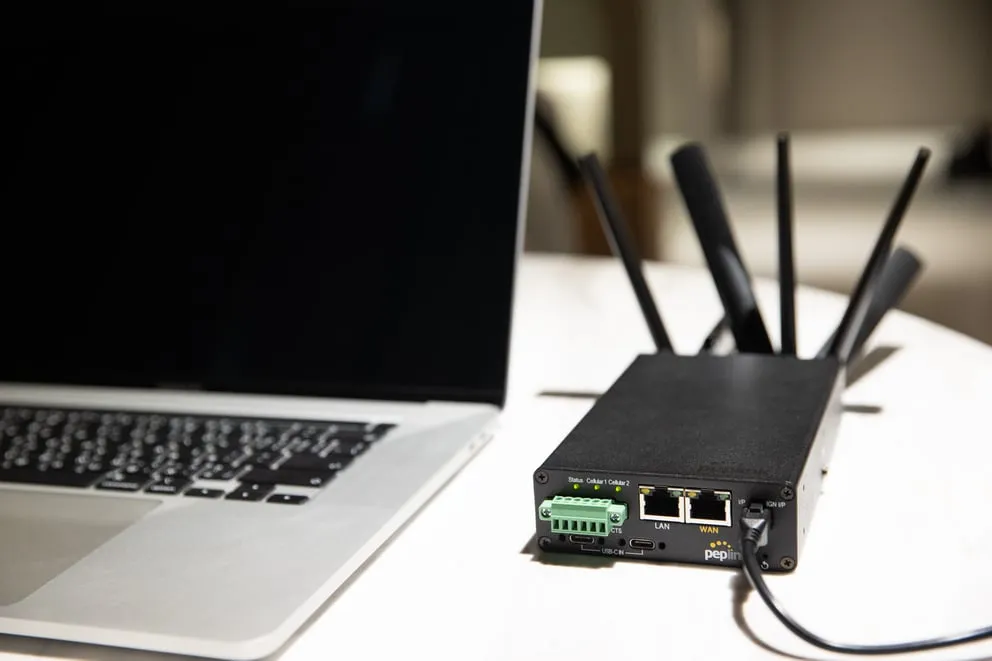
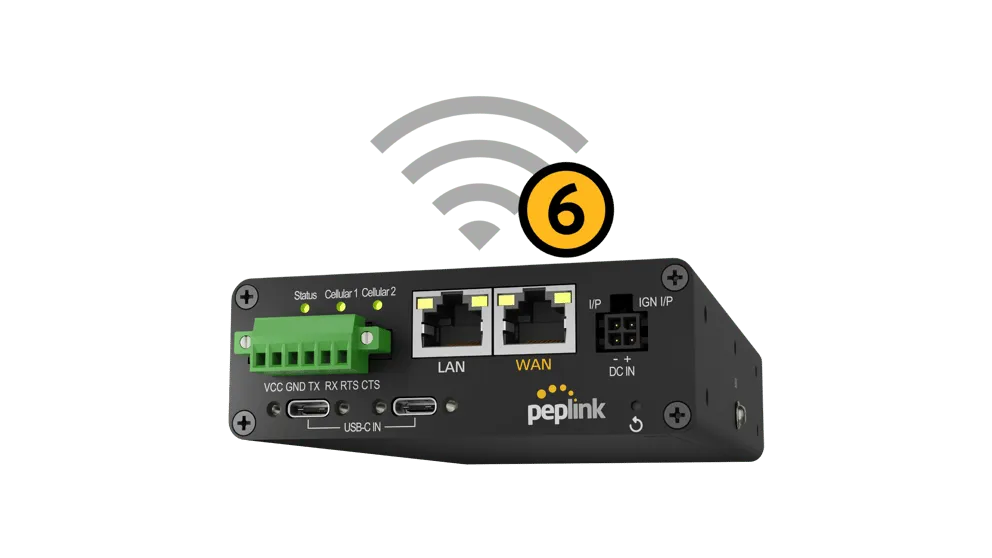
MAX Transit Duo Pro — an industrial-grade mobile LTE router with 1 Gbps throughput, featuring two built-in CAT-12 modems, dual-band Wi-Fi 6, and SpeedFusion VPN for bandwidth bonding. Designed for vehicles and mobile deployments requiring uninterrupted connectivity.
- Built-in Cellular Modems
- 2x CAT-12 with redundant SIM slots
- Cellular Speed (CAT-12)
- 600 Mbps downlink / 150 Mbps uplink
- Cellular Speed (CAT-7)
- 300 Mbps downlink / 150 Mbps uplink
- Router Throughput
- 1 Gbps
Value add — if you like
 Authorized Peplink e-tailer
 Peplink Certified Gold Partner
 Peplink Certified Engineer (PCE) — Johannes Fickeis, Christian Heckel
 Peplink Certified Associate (PCA) — Johannes Fickeis, Christian Heckel
 Peplink Certified Sales Specialist (PCSS) — Johannes Fickeis, Christian Heckel
- PCE TrainerPCE Trainer — Johannes Fickeis
- Hosted FusionHub & SpeedFusion
- InControl management
- Rollout & configuration
Show more
You can deploy this product entirely yourself. If you prefer, we support you in the background — configuration, rollout, hosted FusionHub / SpeedFusion and InControl management. Your customer relationship stays yours.
Description
Key Benefits
- Dual CAT-12 Modem: two built-in cellular modems with redundant SIM slots for failover and channel aggregation
- Wi-Fi 6 2x2 MIMO: simultaneous operation in 2.4 GHz and 5 GHz bands in WAN or access point mode
- SpeedFusion VPN: hot failover, WAN smoothing, and bandwidth bonding with 256-bit AES encryption
- Edge Computing: 8 GB built-in storage with Docker and Python support for local data processing
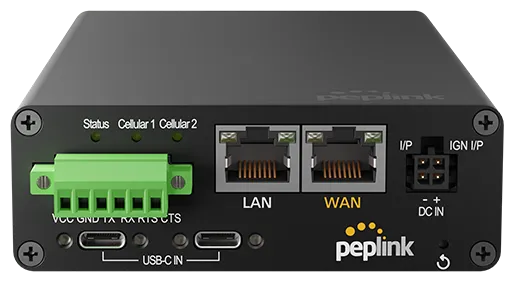
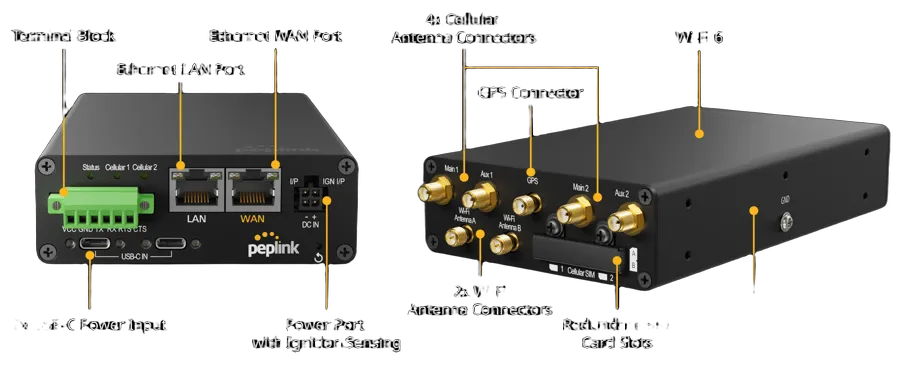
- Flexible Power: wide 12–56 V DC input range, two USB-C ports, and ignition sensing
- Transport Certification: FCC, CE, RoHS, E-Mark, EN61373, EN50155, and EN61000 for operation in harsh environments
Performance and Throughput
The MAX Transit Duo Pro delivers a rated routing throughput of up to 1 Gbps, enabling high-bandwidth applications. Each of the two built-in CAT-12 modems supports downlink speeds of up to 600 Mbps and uplink speeds of up to 150 Mbps. For CAT-7 modem configurations, downlink speeds reach up to 300 Mbps with uplink speeds of up to 150 Mbps. SpeedFusion VPN throughput without encryption reaches 400 Mbps, while 256-bit AES encryption achieves 200 Mbps, providing secure bonding of multiple links into a single logical tunnel.
Intelligent load balancing distributes traffic across configurable algorithms: weighted distribution, priority, overflow, session persistence, least-loaded link, minimum latency, forced distribution, and fastest response. Advanced QoS allows setting individual bandwidth limits and prioritizing applications, including SIP, HTTPS, VPN, and custom services. The recommended number of users ranges from 25 to 150.
Design and Power
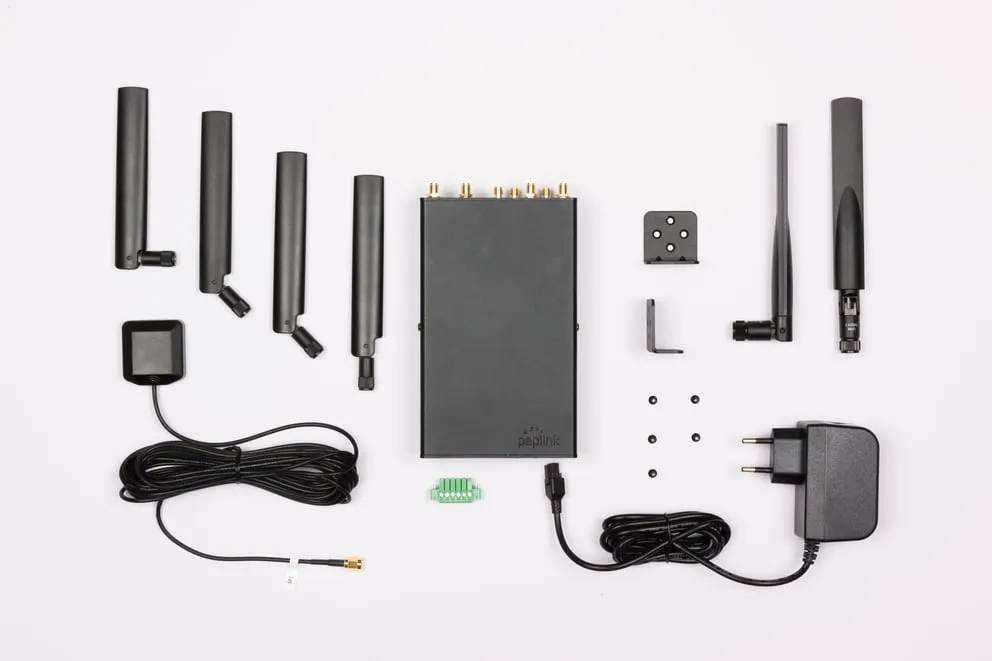
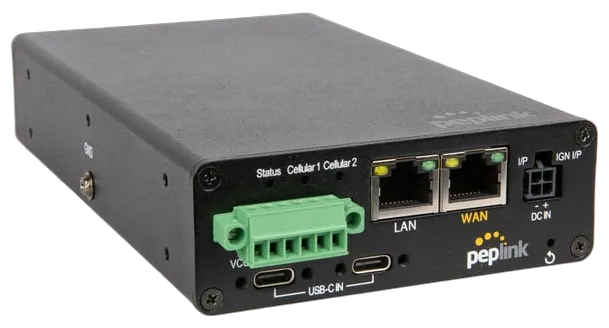
The compact enclosure, measuring 160 × 97 × 33.5 mm and weighing 730 g, is designed for mobile and stationary use. The device operates in temperatures from −40 °C to +65 °C and at humidity levels from 15% to 95% without condensation. Power is supplied via a 12–56 V DC port, a 12–56 V terminal block, or two USB-C ports with 20 V and 3 A output each. The package includes an AC adapter with 100–240 V input and 12 V DC, 2 A output.
The ignition sensing feature allows the router to automatically power down after a user-defined interval once the engine is turned off, preventing excessive battery drain. Nominal power consumption is 10 W, with a maximum of 18 W. The industrial-grade Micro-Fit power connector ensures reliable connections under vibration. RS232 compatibility expands integration options with onboard equipment.
Security and VPN
SpeedFusion VPN provides a full suite of tools for building a secure network: site-to-site VPN, hot failover, WAN smoothing, and bandwidth bonding. Tunnels are secured with 256-bit AES encryption and pre-shared key authentication. Dynamic routing and IPsec VPN for network-to-network connections are supported. The number of SpeedFusion VPN peers can be 2, 5, 10, or 20, depending on the license.
The built-in stateful firewall with DoS protection and web content blocking ensures network-level traffic control. Support for WPA and WPA2, as well as 128-bit WEP, complements wireless security features. NAT functions include many-to-one and one-to-one translation, NAT pool, port forwarding, and static routes. SIP ALG and H.323 ALG support ensures proper handling of voice traffic.
Management and Network Features
The WAN interface supports PPPoE, static IP addresses, DHCP, link state monitoring, bandwidth allowance monitoring, dynamic DNS, and IPv6. The LAN interface provides a DHCP server for clients, advanced DHCP options, DHCP reservation, DNS proxy, and VLAN support. The built-in access point controller enables Wi-Fi management and usage statistics collection. The device runs on Peplink MAX Firmware.
The integrated GPS module provides device location data, map-based tracking, and fleet management via the InControl 2 platform. Edge computing support with 8 GB of storage and Docker and Python environments allows running containerized applications and scripts directly on the router. Virtual WAN port activation options include one, two, or three virtual WANs, depending on the license.
Deployment and SIM Options
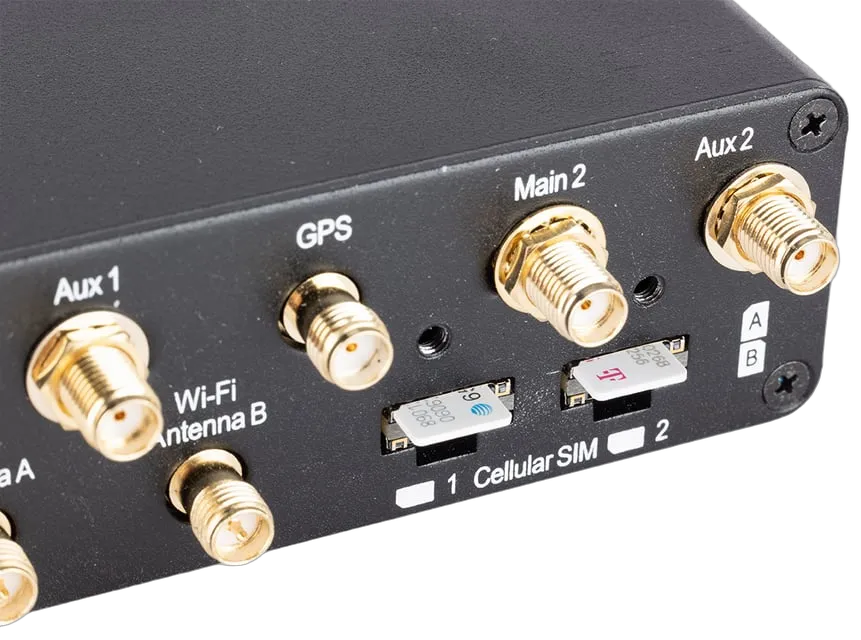
The device supports a wide range of SIM options: Nano-SIM (4FF), Peplink eSIM, BYO eSIM with two profiles per modem, RemoteSIM via SIM Injector, and FusionSIM. Redundant SIM slots on each modem enable seamless carrier switching without rebooting. The router is certified for use with U.S. carriers: AT&T, T-Mobile, Verizon, and FirstNet, with a global region of operation.
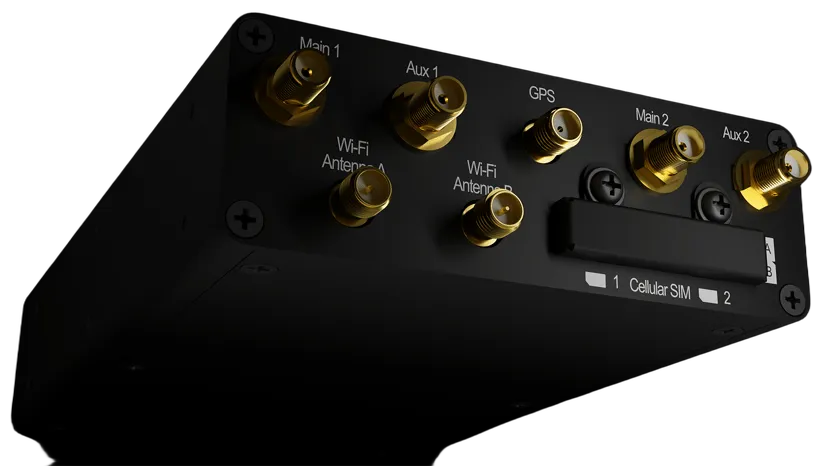
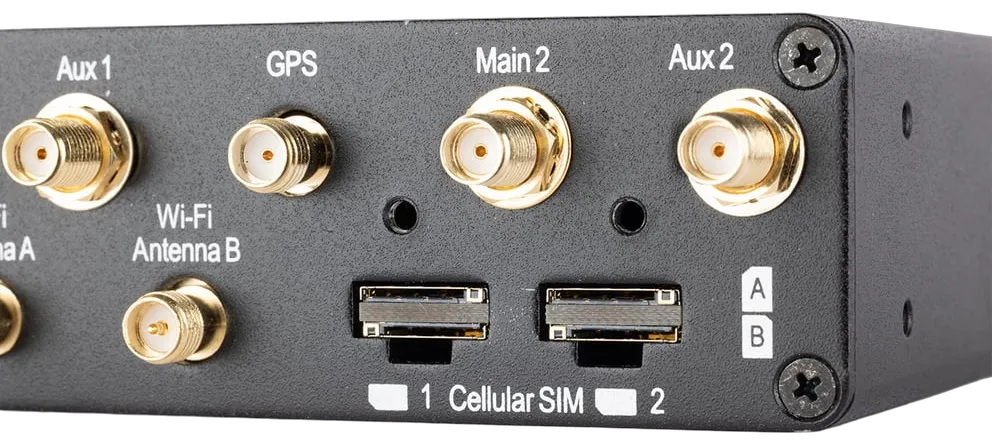
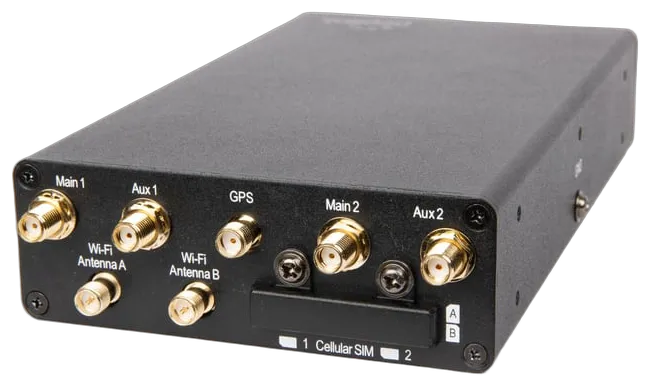
Antenna connectors include four SMA ports for cellular, two RP-SMA ports for Wi-Fi, and one SMA port for GPS. Supported LTE bands cover B1, B2, B3, B4, B5, B7, B8, B12, B13, B14, B17, B18, B19, B20, B25, B26, B28, B29, B30, B38, B39, B40, B41, B42, B43, B48, B66, and B71. For 3G, supported bands include B1, B2, B4, B5, B8, B9, and B19. DIN-rail mounting is available via the ACW-DIN-TST accessory.
Specifications
| Built-in Cellular Modems | 2x CAT-12 with redundant SIM slots |
| Cellular Speed (CAT-12) | 600 Mbps downlink / 150 Mbps uplink |
| Cellular Speed (CAT-7) | 300 Mbps downlink / 150 Mbps uplink |
| Router Throughput | 1 Gbps |
| SpeedFusion VPN Throughput (unencrypted) | 400 Mbps |
| SpeedFusion VPN Throughput (256-bit AES) | 200 Mbps |
| Number of SpeedFusion VPN Peers | 2 / 5 / 10 / 20 |
| Recommended Number of Users | 25–150 |
| Wi-Fi | Wi-Fi 6, dual-band (2.4 GHz / 5 GHz), 2x2 MIMO |
| WAN Interface | 1x 10/100/1000M Ethernet |
| LAN Interface | 1x 10/100/1000M Ethernet |
| Antenna Connectors | 4x SMA (cellular), 2x RP-SMA (Wi-Fi), 1x SMA (GPS) |
| SIM Options | Nano-SIM (4FF), Peplink eSIM, BYO eSIM (2 profiles per modem), RemoteSIM, FusionSIM |
| Edge Computing | Docker and Python, 8 GB storage |
| Power | 12–56 V DC (port and terminal block), 2x USB-C 20 V 3 A, AC adapter 100–240 V / 12 V 2 A |
| Power Consumption | 10 W (nominal), 18 W (maximum) |
| Power Feature | ignition sensing |
| Serial Terminal | RS232 |
| Operating Temperature | −40 °C to +65 °C |
| Humidity | 15%–95% (non-condensing) |
| Dimensions | 160 × 97 × 33.5 mm |
| Weight | 730 g |
| Certifications | FCC, CE, RoHS, E-Mark, EN61373, EN50155, EN61000 |
| U.S. Carrier Certifications | AT&T, T-Mobile, Verizon, FirstNet |
| Region | Global |
| Warranty | 1-year limited warranty |